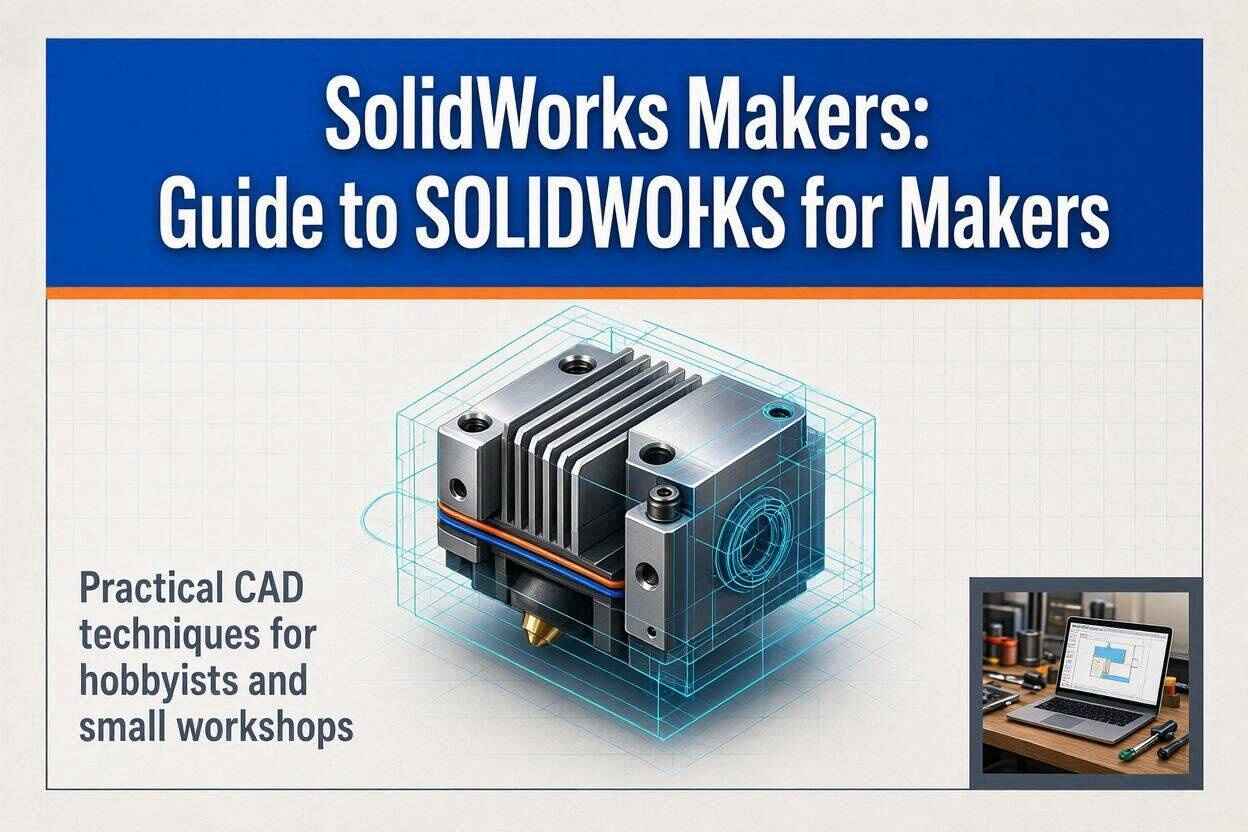
SolidWorks Makers: Guide to SOLIDWORKS for Makers
If you are interested in 3D CAD, product design, 3D printing, CNC machining, DIY engineering, or mechanical design, you have probably come across the term SOLIDWORKS Makers.
The name refers to SOLIDWORKS software packages designed specifically for people who want professional-level design capabilities without needing a full commercial engineering license. Instead of forcing hobbyists to settle for extremely basic CAD software, SOLIDWORKS gives makers access to powerful modeling tools through affordable personal-use subscriptions. As of August 2026, the official SOLIDWORKS Makers offering includes 3DEXPERIENCE SOLIDWORKS for Makers and SOLIDWORKS xDesign for Makers, giving users a choice between a Windows desktop experience and a browser-based workflow. The standard listed price is $48 USD per year or $15 USD per month, excluding taxes, although the official page currently displays a promotional annual price of $24 with a 50% discount code. Local pricing can vary by country and is shown at checkout.
That distinction matters because SOLIDWORKS Makers is not simply a watered-down drawing application. It is built around the same general engineering mindset that makes professional CAD useful: sketches drive features, features build parts, parts become assemblies, and assemblies can eventually become real manufactured objects. Think of it as moving from drawing pictures of an object to creating a digital version that understands dimensions, relationships, geometry, and design intent. A hobbyist designing a custom bracket, drone component, robotic mechanism, replacement part, enclosure, furniture fitting, or 3D-printed tool can use that approach to produce much more controlled designs. The software also connects design with manufacturing workflows, which is one of the reasons SOLIDWORKS Makers has become relevant beyond simple hobby modeling.
What Is SOLIDWORKS for Makers?
SOLIDWORKS for Makers is a personal-use CAD solution from SOLIDWORKS intended for makers, hobbyists, DIY enthusiasts, and people working on personal projects. It is designed to provide professional 3D design capabilities at a much lower cost than a traditional commercial SOLIDWORKS license. The official product information says Makers is intended for personal, non-commercial projects and allows users to sell parts they create provided their annual revenue from those projects remains below $2,000 USD. Once a project becomes broader professional work, SOLIDWORKS says a commercial or startup license is required.
The important word here is maker. A maker might be someone building a custom robot in a garage, designing a replacement component for a broken household item, creating parts for a 3D printer project, experimenting with CNC machining, or developing a personal invention. These users often need more than basic geometry because real-world objects have tolerances, moving components, fasteners, material thicknesses, and manufacturing constraints. SOLIDWORKS Makers gives those users a serious design environment without requiring them to purchase a full commercial engineering package simply to work on personal projects. The result is a useful middle ground between basic free CAD software and expensive professional engineering software.
How SOLIDWORKS Makers Differs From Commercial SOLIDWORKS
The biggest misconception about SOLIDWORKS Makers is that it is simply commercial SOLIDWORKS at a cheaper price. The core CAD experience is powerful, but the licensing and file restrictions are fundamentally different. According to SOLIDWORKS, Makers files are digitally watermarked and native files created under the Makers license cannot be opened using commercial or academic versions of SOLIDWORKS. The restriction applies to native formats such as .SLDPRT, .SLDASM, .SLDDRW, and .3DXML. Users can export neutral formats such as STL, STEP, IGES, and OBJ when they need to move designs into other workflows.
This makes the license suitable for personal experimentation but potentially unsuitable for someone who expects a hobby project to become professional engineering work later. A designer cannot assume that a Makers-native file will simply transfer into an employer’s commercial SOLIDWORKS environment. That is a major distinction to understand before beginning a large project. If you are designing something purely for your own workshop, the restriction may never bother you. If you are building a product that may eventually become a commercial engineering project, however, the licensing boundary becomes an important part of your planning rather than a minor technical detail.
SOLIDWORKS for Makers Pricing and Plans
The current official SOLIDWORKS Makers information lists the standard subscription at $48 USD per year or $15 USD per month, excluding taxes. The official page currently displays a promotional offer reducing the annual price to $24 USD per year with the listed 50% discount code, although promotional pricing can change. SOLIDWORKS also states that local pricing is displayed during checkout, so users in the United Kingdom should check the final UK price rather than converting the US price themselves. The annual subscription has a 15-day money-back policy, while monthly subscriptions can be canceled before the next renewal but do not have the same refund arrangement.
At this price point, the value proposition is straightforward. A professional-grade CAD environment can otherwise be expensive when purchased under commercial licensing, so the Makers program lowers the barrier considerably for personal projects. The subscription model also means you should think about your actual project needs before paying for multiple packages. The two Makers products are sold separately, and you can select the one that matches your hardware and workflow. If you already have a Windows workstation and want traditional desktop SOLIDWORKS, the 3DEXPERIENCE version is the more obvious choice. If you use a MacBook, Chromebook, tablet, or another supported device, the browser-based xDesign option can be more practical.
3DEXPERIENCE SOLIDWORKS for Makers
3DEXPERIENCE SOLIDWORKS for Makers is the option for users who want the familiar desktop SOLIDWORKS experience. It provides locally installed 3D CAD on a Windows PC and adds access to the 3DEXPERIENCE platform for cloud storage and collaboration. The package includes 2.5-axis and 3-axis CAM, photorealistic rendering, 3D modeling capabilities, and 25 GB of cloud storage. It can also operate offline for up to 30 consecutive days, provided the user has prepared the system appropriately and then reconnects for synchronization.
For someone learning mechanical engineering or building serious DIY projects, this version is particularly attractive because it preserves the desktop workflow associated with traditional SOLIDWORKS. You can work with parts, assemblies, drawings, sketches, features, sheet metal, structural and framing tools, and other design workflows. The addition of CAM makes the package more than a CAD-only solution. It creates a pathway from digital geometry toward manufacturing, which is exactly where many maker projects eventually end up. The main limitation is hardware: 3DEXPERIENCE SOLIDWORKS for Makers requires Windows 11, so it is not the right option for someone who wants to run the desktop application natively on macOS.
SOLIDWORKS xDesign for Makers
SOLIDWORKS xDesign for Makers takes a different approach by placing the design environment inside a web browser. It does not require installation and works with supported browsers including Chrome, Firefox, and Edge on Windows, Mac, Chromebook, and most tablets. The major advantage is flexibility: instead of being tied to a Windows workstation, you can access the design environment from a much broader range of devices. The official package also includes browser-based design applications, cloud storage, AI-powered design guidance, rendering, motion studies, and interactive presentation capabilities.
The trade-off is that xDesign is fundamentally cloud-based. Unlike 3DEXPERIENCE SOLIDWORKS for Makers, xDesign requires an internet connection and does not support offline use. That makes it excellent for users who move between computers or prefer not to install engineering software, but less convenient for someone working in locations with unreliable connectivity. The choice therefore comes down to workflow rather than simply asking which package is better. A Windows-based mechanical designer who wants desktop SOLIDWORKS and CAM should lean toward 3DEXPERIENCE SOLIDWORKS for Makers, while a Mac, Chromebook, or tablet user who prioritizes browser access may find xDesign much more convenient.
Key Features of SOLIDWORKS Makers
The main strength of SOLIDWORKS Makers is the range of engineering-oriented functionality available to personal users. Instead of limiting the user to simple primitive shapes, the software supports parametric modeling, assemblies, drawings, freeform design, sheet metal, structural and framing workflows, mold design, motion studies, rendering, and other tools depending on the selected package. That means a maker can move from a rough concept to a detailed digital prototype using a structured design process. For example, designing a custom mechanical enclosure is not just about creating a box; you may need mounting holes, ribs, bosses, screw clearances, wall thicknesses, fasteners, and an assembly relationship between multiple components. SOLIDWORKS is designed around exactly that type of structured thinking.
The 3DEXPERIENCE version adds manufacturing functionality through NC Shop Floor Programmer, including 2.5-axis and 3-axis CAM. The platform also provides cloud storage, versioning, history tracking, and recovery features. Those capabilities become useful when a project develops from a single model into a collection of iterations. Instead of having files scattered across folders with names such as final_final_v4.sldprt, final_new.sldprt, and actual_final.sldprt, cloud-based version control can provide a more disciplined approach to managing design changes. That is one reason SOLIDWORKS Makers can be valuable as a learning platform for people who want to understand professional CAD workflows rather than simply produce one-off shapes.
3D CAD and Parametric Modeling
Parametric modeling is one of the most important concepts to understand when using SOLIDWORKS Makers. Instead of treating geometry like a static picture, the software stores relationships between dimensions and features. If you create a hole that is 10 mm from an edge, for example, that relationship can remain part of the model’s design intent. Change the dimension, and the model updates. This makes iterative engineering dramatically easier because you are editing the logic behind the model rather than rebuilding geometry from scratch each time a requirement changes.
For makers, this can be transformative. Imagine designing a bracket that initially needs to fit a 20 mm pipe but later must accommodate a 25 mm pipe. In a basic modeling environment, you may need to manually reshape several features. In a parametric environment, you can structure the model so important dimensions are controlled and related. That is why learning sketches, constraints, dimensions, reference geometry, feature trees, and assemblies is more valuable than simply learning how to click through individual commands. Once you understand design intent, SOLIDWORKS becomes a system for managing engineering changes rather than merely a tool for drawing objects.
CAM, Rendering, and Manufacturing Tools
A major advantage of 3DEXPERIENCE SOLIDWORKS for Makers is that the package goes beyond CAD. SOLIDWORKS states that Makers includes 2.5-axis and 3-axis CAM through NC Shop Floor Programmer, allowing suitable users to progress toward CNC manufacturing workflows. The software also includes photorealistic rendering, which can be useful when you want to visualize a finished product before manufacturing it. This combination creates a digital pipeline that resembles a simplified version of professional product development: design the object, inspect the geometry, visualize it, prepare manufacturing information, and then create the physical component.
Rendering is especially useful when the purpose of the project is not only engineering but presentation. A technically accurate CAD model can look very different from a polished product image. Rendering lets makers experiment with materials, finishes, lighting, and presentation without physically manufacturing several versions. CAM, on the other hand, addresses the opposite side of the process: taking digital geometry and preparing it for machining. These features do not eliminate the need to understand machining principles, tooling, feeds, speeds, workholding, or machine limitations, but they help connect CAD knowledge with practical manufacturing.
SOLIDWORKS Makers for 3D Printing
SOLIDWORKS Makers is well suited to 3D printing, particularly when the printed component needs precise dimensions or must fit with other parts. SOLIDWORKS confirms that both Makers packages can be used to design parts for 3D printing and export models as STL files for use with slicer software. This makes it possible to create everything from simple brackets and replacement components to complex assemblies and custom mechanical parts. The benefit of using engineering CAD rather than basic mesh modeling becomes obvious when dimensional accuracy matters.
Suppose you are designing a replacement knob that must slide onto a shaft. The shape itself may be easy to model, but the real engineering problem is the fit. You need to consider shaft diameter, clearance, wall thickness, insertion depth, printing tolerance, material shrinkage, and the capabilities of the printer. Parametric CAD gives you a way to control those dimensions systematically. You can then export the finished geometry as an STL file and use your preferred slicer to generate the printer instructions. The CAD model becomes the source of truth, while the slicer converts that geometry into a printable manufacturing strategy.
Exporting STL, STEP, IGES, and Other Formats
File compatibility matters whenever your CAD model leaves SOLIDWORKS. The official Makers documentation confirms that users can export common formats including STL, STEP, IGES, DXF, and OBJ. These formats are important because different manufacturing and design applications use different data structures. STL is common for 3D printing, while STEP and IGES are widely used for exchanging CAD geometry between different systems. DXF is frequently used for 2D manufacturing workflows such as laser cutting, while OBJ is useful in certain 3D and visualization pipelines.
There is a critical distinction between exporting a neutral file and sharing the native SOLIDWORKS file. Makers-native files are restricted and watermarked, while neutral exports can be used more broadly. This means a maker who wants to send a model to a 3D printing service or CNC workflow should choose the appropriate export format rather than assuming the recipient can open the original .SLDPRT file. Understanding that difference prevents a common mistake: creating an excellent design and then discovering that the intended manufacturing partner cannot open the source file because of the Makers license restrictions.
SOLIDWORKS Makers for CNC and DIY Projects
For makers interested in CNC machining, 3DEXPERIENCE SOLIDWORKS for Makers is particularly interesting because it includes CAM capabilities. SOLIDWORKS identifies 2.5-axis and 3-axis CAM functionality through NC Shop Floor Programmer as part of the Makers subscription. The CAM environment can help users prepare machining operations and generate NC code, but the software does not replace knowledge of actual CNC manufacturing. A good digital toolpath is only part of the equation; machine configuration, tooling, workholding, material behavior, feeds, speeds, safety, and post-processing still matter in the physical workshop.
The same principle applies to DIY engineering. A maker could design a custom aluminum bracket, create a detailed enclosure for electronics, develop a robotic arm component, model a replacement machine part, or produce a mounting system for a workshop tool. SOLIDWORKS can help turn the idea into a controlled digital model before materials are cut. That reduces the classic DIY problem of discovering an error only after spending money on material. In that sense, CAD acts like a rehearsal: you test the geometry digitally before committing to the physical version.
SOLIDWORKS Makers System Requirements
Hardware requirements are one of the first things to check before purchasing. 3DEXPERIENCE SOLIDWORKS for Makers requires Windows 11, according to the current official documentation. SOLIDWORKS recommends using its Cloud Eligibility Tool and certified hardware requirements to verify whether a particular machine is suitable. The desktop package also requires installation of SOLIDWORKS Connected and the relevant manufacturing software if CAM functions are needed.
This matters because CAD performance can vary significantly depending on the complexity of the project. A simple bracket is relatively easy to handle, but large assemblies, complex surfaces, detailed drawings, and rendering tasks can demand substantially more computing resources. A maker who already owns a modern Windows 11 workstation should verify compatibility before installation rather than assuming that any PC will provide the same experience. It is also important to remember that SOLIDWORKS Connected cannot be installed on the same computer as a commercial SOLIDWORKS installation using the same release year, according to SOLIDWORKS documentation.
Windows Desktop Requirements
The desktop version is aimed at users who want a full locally installed CAD environment. The software requires Windows 11, and SOLIDWORKS recommends checking certified hardware compatibility before installation. For CAD work, a capable processor, sufficient memory, a supported graphics solution, and fast storage can all contribute to a smoother experience, especially as models become more complex. However, rather than buying hardware based on generic specifications alone, checking the current official certification list is the more reliable approach because CAD applications can behave differently depending on the graphics driver and hardware combination.
Another practical consideration is storage. CAD projects can accumulate parts, assemblies, drawings, rendered images, exported files, and manufacturing data quickly. If you intend to use CAM, SOLIDWORKS documentation says the Shop Floor Machining application requires at least 13 GB of free disk space. That figure should be treated as a software installation requirement rather than a complete recommendation for your entire project environment. A workstation with adequate free space will be much easier to maintain than one operating close to its storage limit.
Browser-Based xDesign Requirements
The browser-based SOLIDWORKS xDesign for Makers package is much easier to deploy because it does not require a traditional software installation. SOLIDWORKS states that xDesign works in Chrome, Firefox, and Edge on Windows, Mac, Chromebook, and most tablets, provided there is a stable internet connection. This makes it particularly attractive for users who do not own a Windows engineering workstation.
The browser approach also changes how you think about access. Instead of treating CAD as software installed on one machine, you treat it as an online workspace. That can be convenient for students, hobbyists, and makers who move between locations. The disadvantage is equally clear: xDesign cannot be used offline. If your internet connection disappears, your ability to work disappears with it. For users who regularly work in a workshop, garage, or other location with unreliable internet, that limitation should be considered before choosing the browser-based package.
Cloud Storage and File Management
Cloud functionality is a central part of the modern SOLIDWORKS Makers experience. The 3DEXPERIENCE SOLIDWORKS for Makers package includes 25 GB of 3DEXPERIENCE cloud storage through the platform’s storage tools. SOLIDWORKS says this storage includes features such as file versioning, history tracking, and recovery. For a personal maker project, 25 GB can provide substantial room for CAD files and associated project data, although the official documentation states that storage cannot currently be expanded for Makers licenses.
The value of version control becomes clear when a design evolves. Instead of repeatedly overwriting one file, you can maintain a history of changes and return to previous versions when necessary. This is particularly useful for experimentation because engineering design rarely progresses in a straight line. You may try a particular geometry, discover that it does not work, modify it, and eventually realize that an earlier version was actually better. A structured cloud workspace makes that process easier to manage. Still, users should maintain sensible backups and understand exactly where their important files are stored rather than assuming cloud storage automatically eliminates every form of data-management risk.
SOLIDWORKS Makers Licensing Restrictions
Licensing is probably the most important area to understand before committing to a major project. SOLIDWORKS Makers is intended for personal, non-commercial use, with the official program allowing users to sell parts they create as long as annual project revenue remains below $2,000 USD. If your work expands beyond that boundary or becomes broader professional activity, SOLIDWORKS states that a commercial or startup license is required.
This is not merely a technical limitation. Licensing determines whether the software is legally appropriate for the way you intend to use it. A hobbyist selling a small number of 3D-printed accessories may fit within the Makers model, while a business designing products for clients would need a different license. The distinction should be considered at the beginning of a project, not after the project has already generated significant commercial activity. The low subscription price is attractive precisely because SOLIDWORKS has created a defined boundary around personal maker use.
Commercial Use and Revenue Limits
The $2,000 annual revenue threshold is a critical detail for anyone considering selling products designed with SOLIDWORKS Makers. The official SOLIDWORKS documentation explicitly states that makers can sell parts they create provided they generate less than $2,000 USD per year in revenue from their projects. Once the work becomes larger-scale commercial activity, the appropriate path is a commercial or startup license.
Another important limitation is the lack of a direct upgrade path from Makers to commercial SOLIDWORKS. If your project grows into professional work, you should not assume that your Makers subscription automatically converts into a commercial license. SOLIDWORKS says the commercial or startup license must be purchased separately. Native Makers files also remain subject to their licensing restrictions, which makes neutral exports such as STEP or IGES useful when transferring geometry into broader workflows.
SOLIDWORKS Makers vs Free CAD Software
Comparing SOLIDWORKS Makers with free CAD software requires more than looking at price. Free tools can be perfectly adequate for basic modeling, especially when the goal is to learn fundamental 3D concepts or create simple printable objects. However, SOLIDWORKS Makers targets users who want a deeper engineering workflow involving parametric modeling, assemblies, drawings, manufacturing preparation, rendering, and structured design intent. The question is therefore not simply, “Which software costs less?” It is, “Which workflow do I actually need?”
For a beginner making simple decorative models, a free application may be enough. For someone designing a mechanical assembly where ten dimensions need to remain coordinated, professional parametric CAD can save enormous amounts of time. SOLIDWORKS Makers also provides access to learning content and maker communities, which can reduce the learning barrier. The important point is to avoid buying software based on prestige. If your projects do not require advanced engineering capabilities, simpler software may be more efficient. If your objective is to learn professional mechanical CAD while working on personal projects, however, SOLIDWORKS Makers becomes considerably more compelling.
Is SOLIDWORKS Makers Good for Beginners?
Yes, SOLIDWORKS Makers can be suitable for beginners, but that does not mean it is effortless. SOLIDWORKS itself provides getting-started videos, tutorials, training resources, and maker communities designed to help new users learn the platform. The first challenge for a beginner is usually not memorizing commands but understanding how parametric CAD thinks. Sketches, constraints, dimensions, feature trees, planes, assemblies, and design intent can feel unfamiliar when compared with ordinary drawing software.
A beginner should therefore approach the software like learning a technical language. Start with simple parts, learn how sketches behave, understand fully defined geometry, and gradually move into extrusions, cuts, fillets, patterns, assemblies, and drawings. The goal should not be to learn every tool in the interface. Instead, learn the small group of operations that allow you to construct real objects reliably. Once those fundamentals become familiar, advanced tools become easier because you already understand the underlying logic of the system.
Advantages and Disadvantages of SOLIDWORKS Makers
The biggest advantage is the combination of professional CAD functionality and maker-oriented pricing. The desktop version includes CAD, cloud storage, rendering, and CAM capabilities, while xDesign provides a browser-based route for users who prefer Mac, Chromebook, tablet, or Windows access. The program also provides learning resources and maker communities, making it more than simply a license key. For hobbyists who want to develop serious CAD skills, this combination can offer strong value.
The disadvantages are mostly connected to licensing and platform restrictions. Makers files are watermarked and native files cannot be opened using commercial or academic SOLIDWORKS versions. The desktop version requires Windows 11, while xDesign requires continuous internet access. Cloud storage is limited to 25 GB, and the Makers license is not intended for unrestricted commercial work. These limitations are not hidden technical footnotes; they are central to deciding whether the product matches your situation.
| Feature | 3DEXPERIENCE SOLIDWORKS for Makers | SOLIDWORKS xDesign for Makers |
|---|---|---|
| CAD | Desktop SOLIDWORKS | Browser-based CAD |
| Installation | Required | Not required |
| Main devices | Windows PC | Windows, Mac, Chromebook, tablets |
| Internet | Required periodically | Always required |
| Offline mode | Up to 30 consecutive days | Not available |
| CAM | 2.5-axis and 3-axis | Not included |
| Cloud storage | 25 GB | Cloud-based storage |
| Rendering | Included | Cloud rendering |
| Best for | Detailed CAD and manufacturing | Flexible browser-based design |
Who Should Use SOLIDWORKS Makers?
SOLIDWORKS Makers is best suited to hobbyists, DIY engineers, students working on personal projects, 3D printing enthusiasts, robotics builders, CNC hobbyists, inventors, and makers who want to learn professional CAD workflows. It is particularly useful for someone who wants to create real mechanical components rather than only sculpt simple shapes. A person building a custom drone, robotic mechanism, workshop fixture, replacement component, electronics enclosure, or 3D-printed machine part can benefit from parametric modeling and assembly design. The software also provides a useful bridge between digital modeling and physical manufacturing.
It is less appropriate for companies, engineering consultancies, freelancers serving commercial clients, and professional designers whose work exceeds the Makers licensing boundaries. Those users should evaluate commercial or startup licensing instead. The distinction is simple: if the work is fundamentally a personal project and stays within the published Makers revenue conditions, the program fits its intended purpose. If the work is part of a professional business operation, the commercial licensing route is the safer and more appropriate choice.
How to Get Started With SOLIDWORKS Makers
Getting started begins with selecting the package that matches your workflow. If you want desktop SOLIDWORKS, CAM, local storage, and offline capability, choose 3DEXPERIENCE SOLIDWORKS for Makers and verify that your Windows 11 computer meets the requirements. If you want browser-based CAD and use a Mac, Chromebook, tablet, or Windows computer, SOLIDWORKS xDesign for Makers may be the better fit. SOLIDWORKS provides a Makers Dashboard and getting-started resources to guide users through account access, installation, and first use.
After installation or browser access, avoid jumping directly into a complex project. Build a simple part first. Create a sketch, apply dimensions and constraints, extrude it, add a hole, create a fillet, and inspect the feature tree. Then create another part and learn how assemblies work. This sequence teaches the underlying logic much faster than trying to reproduce a complicated YouTube project without understanding why each feature is being used. Once you can create simple models confidently, move into drawings, configurations, sheet metal, rendering, and eventually CAM if your project requires manufacturing.
Best Projects to Build With SOLIDWORKS Makers
The best SOLIDWORKS Makers projects are practical enough to force you to learn engineering concepts but simple enough that you can finish them. A custom phone stand, tool holder, replacement bracket, electronics enclosure, wall mount, bicycle accessory, small robot frame, camera mount, or workshop organizer can be an excellent starting point. These projects introduce real-world design questions such as mounting, clearances, material thickness, fasteners, tolerances, and manufacturing methods. Instead of modeling an imaginary object with no constraints, you are solving an actual physical problem.
As your skills improve, you can move into multi-part assemblies and more demanding mechanisms. A small robotic arm, RC vehicle component, drone frame, gearbox enclosure, adjustable clamp, or CNC-machined fixture can teach you considerably more about design intent. The most valuable project is not necessarily the most visually impressive one. A simple part that you redesign three times to improve fit, strength, manufacturing efficiency, and assembly can teach more than a complex model copied from someone else. That is where SOLIDWORKS Makers becomes a genuine engineering learning platform rather than just another 3D modeling application.
Conclusion
SOLIDWORKS Makers provides a practical entry point into professional-style CAD for people who want to build, design, print, machine, and experiment with physical products. The current Makers ecosystem gives users two primary options: 3DEXPERIENCE SOLIDWORKS for Makers, which provides desktop SOLIDWORKS on Windows with CAM and offline capability, and SOLIDWORKS xDesign for Makers, which provides browser-based CAD across Windows, Mac, Chromebook, and supported tablets. The standard price listed by SOLIDWORKS is $48 USD per year or $15 USD per month before taxes, while promotional pricing may temporarily reduce the annual cost.
The strongest reason to choose it is not simply access to advanced commands. It is the ability to learn a structured engineering approach to design. Parametric modeling, assemblies, drawings, manufacturing preparation, rendering, cloud version control, and CAD-to-production workflows can turn a rough idea into something that is measurable and manufacturable. At the same time, the licensing restrictions matter: Makers is intended for personal use, has a published $2,000 annual revenue threshold for permitted sales, and its native files are restricted and watermarked.
For someone who wants to learn serious mechanical CAD while building personal projects, SOLIDWORKS Makers is one of the more capable options available in the maker-focused CAD space. The right package depends mainly on hardware and workflow: choose the desktop 3DEXPERIENCE version for Windows-based CAD and CAM, or xDesign for browser-based flexibility. Either way, the best results come from learning design intent rather than simply memorizing commands.
FAQs About SOLIDWORKS Makers
1. What is SOLIDWORKS Makers?
SOLIDWORKS Makers is a personal-use version of the SOLIDWORKS ecosystem designed for makers, hobbyists, DIY enthusiasts, and personal projects. It provides professional-oriented CAD capabilities at a significantly lower subscription price than standard commercial licensing. Users can choose between desktop-based 3DEXPERIENCE SOLIDWORKS for Makers and browser-based SOLIDWORKS xDesign for Makers.
2. How much does SOLIDWORKS Makers cost?
The standard price currently listed by SOLIDWORKS is $48 USD per year or $15 USD per month, excluding taxes. The official page currently displays a promotional 50% annual discount, bringing the displayed promotional price to $24 USD per year with the specified code. Local pricing may differ, so the checkout price should be treated as the final reference for your region.
3. Can I use SOLIDWORKS Makers for commercial work?
SOLIDWORKS Makers is intended primarily for personal, non-commercial projects. SOLIDWORKS states that users can sell parts created through Makers as long as their annual project revenue remains below $2,000 USD. Professional or broader commercial use requires an appropriate commercial or startup license.
4. Can SOLIDWORKS Makers be used for 3D printing?
Yes. Both Makers packages support workflows suitable for 3D printing, and models can be exported as STL files for use with slicer software. Users can also export formats such as STEP, IGES, DXF, and OBJ depending on their downstream requirements.
5. Is SOLIDWORKS Makers available on Mac?
SOLIDWORKS xDesign for Makers works in supported browsers on Mac, while 3DEXPERIENCE SOLIDWORKS for Makers is the Windows desktop option and requires Windows 11. Mac users who want a browser-based workflow can therefore use xDesign without installing the desktop SOLIDWORKS application.